AI Employees for Small Business: What They Are, How They Work, and Why You Need One
The Hiring Problem That Never Goes Away
You know the math. Hiring a full-time marketing manager costs $60,000–$80,000 a year. A dedicated sales rep? Another $55,000 plus commission. A customer support specialist, an operations coordinator, a finance analyst: add it all up and you're looking at half a million dollars in payroll before your small business has a "complete" team.
So most small business owners do what they have to do: they wear every hat themselves, hire one generalist and pray, or just leave entire functions of their business chronically understaffed.
That's not a strategy. That's survival mode.
But here's what's changing in 2026: for the first time, small businesses have access to a category of AI that doesn't just assist employees; it acts like one. Not a chatbot. Not a writing assistant. A system that handles an entire business function (marketing, sales, customer support, finance, operations) with the consistency of software and the judgment of a trained specialist.
These are AI employees. And they're reshaping what it means to run a lean business.
What Is an AI Employee?
An AI employee is an AI system designed to own and execute a specific business function, not just complete individual tasks, but manage an entire domain of work with minimal human intervention.
This is different from the AI tools you've probably already tried. Here's the distinction:
AI Tools AI Employees What they do: Complete specific tasks when promptedManage entire business functions autonomouslyHow they workYou ask, they answerThey run workflows, take actions, and report outcomes Integration: Usually siloed in one appConnected across your CRM, email, calendar, and platforms Learning: GenericTrained on your business data, playbooks, and history Scope: Task-levelFunction-level
Think of it this way: ChatGPT is a tool. An AI marketing employee that monitors your analytics, drafts campaigns, schedules social posts, and reports weekly performance. That's an AI employee.
The distinction matters because it changes what you can realistically accomplish. Tools save you minutes. AI employees give you back entire functions of your business.
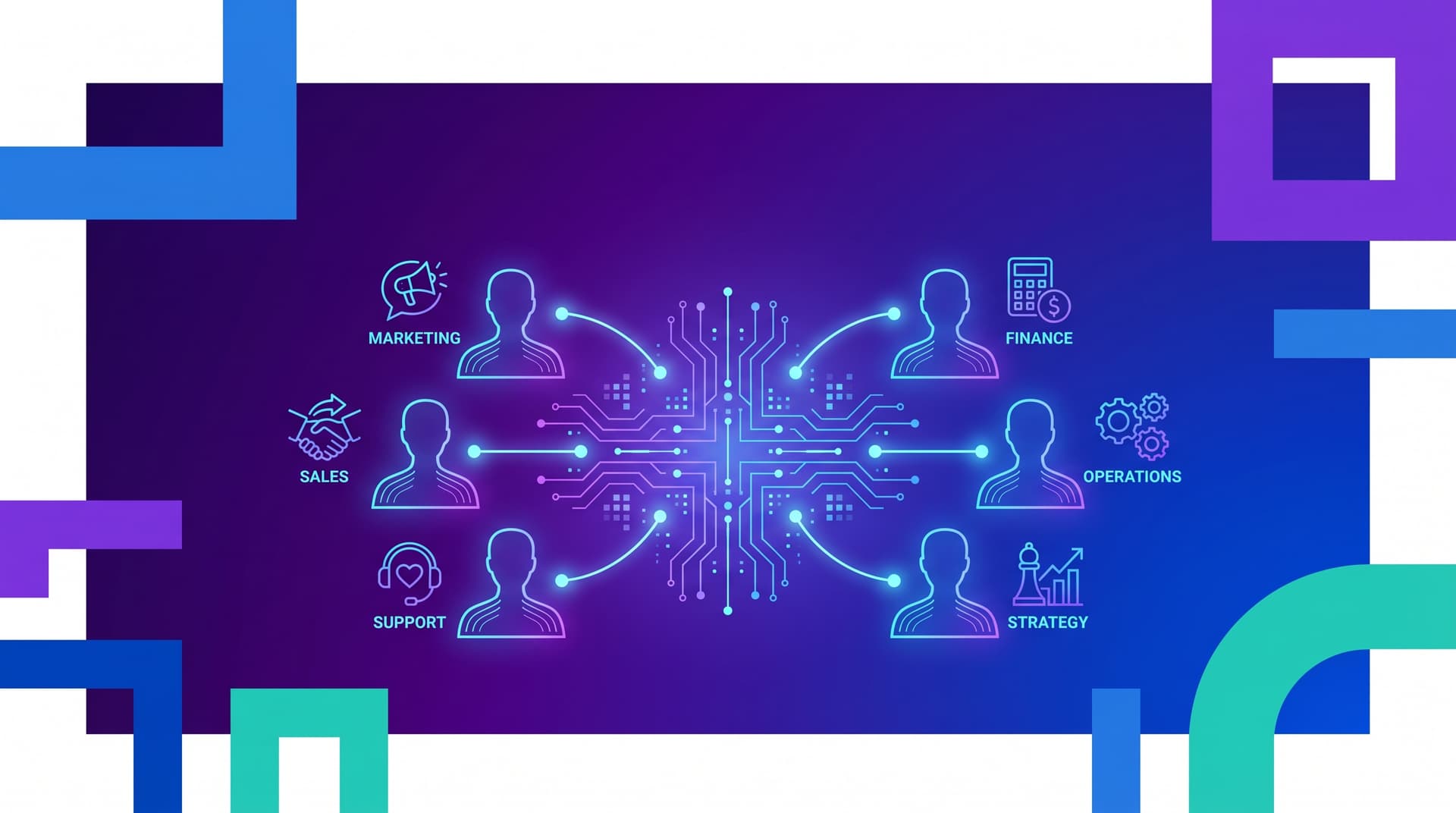
The 6 Business Functions AI Employees Can Own
As agentic AI matures in 2025 and 2026, businesses are deploying AI employees across every core function. Here's what each one can realistically handle today:
1. Marketing
An AI marketing employee can manage content creation, social media scheduling, email campaigns, and basic analytics reporting. It can generate blog posts optimized for search, respond to social comments, A/B test subject lines, and flag when a campaign is underperforming, all without waiting for a weekly check-in.
2. Sales
An AI sales employee can research prospects, draft personalized outreach sequences, follow up with leads, update your CRM, and surface pipeline insights. It won't close deals for you (yet), but it will make sure no lead goes cold because someone forgot to follow up.
3. Customer Support
AI customer support employees can handle tier-1 inquiries 24/7, route complex cases to the right human, follow up on unresolved tickets, and maintain a knowledge base that improves over time. According to Freshworks, AI agents already deflect 45%+ of support queries without human involvement, and that number is rising.
4. Finance
An AI finance employee can reconcile expenses, track invoices, flag payment anomalies, generate monthly financial summaries, and prepare reports your accountant or CFO can actually use. It won't replace your CPA, but it makes sure you always have a clear picture of where your money is going.
5. Operations
Operations is often the function that holds everything else back: processes that aren't documented, handoffs that fall through the cracks, resource allocation that runs on gut feel. An AI operations employee systematizes your workflows, tracks project progress, manages scheduling, and surfaces bottlenecks before they become crises.
6. Strategy
An AI strategy employee can monitor market signals, compile competitive intelligence, synthesize customer feedback into insights, and help you think through decisions with data rather than intuition. Think of it as a chief of staff who's done their homework before every meeting.
Why Small Businesses Are Uniquely Positioned to Win
Here's something counterintuitive: large enterprises are slower to benefit from AI employees than small businesses. Why? Because they have bureaucracy, legacy systems, compliance layers, and political structures that slow AI adoption to a crawl. Small businesses are more agile. They can deploy, iterate, and benefit faster.
The data backs this up. The SBA Office of Advocacy found that small business AI production use climbed from 6.3% to 8.8% in just six months ending August 2025, while large-firm adoption actually declined. Small firms aren't just catching up. They're pulling ahead.
And the returns are real:
91% of SMBs using AI report a revenue boost (Salesforce via Capsule CRM, 2024)
66% of SMBs using AI save $500–$2,000 per month (Thryv via Capsule CRM, 2025)
58% of SMBs using AI recover 20+ hours monthly
The average worker saves 5.6 hours per week using AI; managers save 7.2 hours
The businesses that move first on AI employees won't just be more efficient. They'll be operating at a structural advantage their competitors can't overcome with headcount alone.
The Missing Ingredient: Infrastructure
Here's where most small businesses get it wrong.
They adopt AI tools (maybe ChatGPT for writing, Zapier for some automations, a chatbot for the website) and then wonder why their business doesn't feel transformed. The tools work fine in isolation. But they don't talk to each other. They don't learn from your specific business context. They don't coordinate across functions.
What's missing isn't more tools. It's infrastructure.
AI infrastructure is the connective layer that makes AI employees possible. It's the integration between your CRM, your email, your calendar, your analytics, and your communication platforms, plus the training data, the playbooks, and the business logic that makes AI behave like your employee, not a generic assistant.
Without infrastructure, you have a collection of tools. With infrastructure, you have a system that runs your business.
The difference is whether AI is something you use or something that works for you.
What to Look for in an AI Employee Solution
Not all AI employee solutions are created equal. Before you invest in one, here are the questions that separate a genuine business transformation from an expensive experiment:
1. Is it built around your business, or for every business? Generic AI systems are trained on everything and optimized for nothing. The most effective AI employees are built around how your business actually operates: your customer profiles, your sales process, your brand voice, your internal workflows.
2. Does it integrate with your existing stack? An AI employee that lives in its own silo is just another tool. Look for solutions that connect natively to your CRM, email platform, calendar, invoicing software, and communication tools. The value comes from integration.
3. Can it take actions, or just generate text? There's a meaningful difference between an AI that drafts a follow-up email and one that sends it. Between an AI that suggests a campaign and one that schedules and publishes it. True AI employees take actions; they don't just advise.
4. Does it learn and improve over time? The best AI employees get smarter as they accumulate context about your business. They learn your preferred tone, your highest-converting messaging, your most common customer questions, and your operational patterns. Look for systems that improve, not just ones that execute.
5. Is there a human strategist behind it? AI employees are powerful, but they're most effective when they're configured, monitored, and evolved by someone who understands both AI and your business. The ideal setup isn't AI replacing human expertise; it's AI amplified by it.
The Cost Equation: AI Employees vs. Human Hires
Let's be direct about the economics, because this is often where the conversation gets clarifying.
A full team of human specialists (marketing, sales, support, operations, finance, strategy) would cost a small business $300,000–$500,000+ annually in salaries alone. Add benefits, recruiting, onboarding, turnover, and management overhead, and the real cost is higher.
AI employees, delivered through a purpose-built infrastructure platform, typically run a fraction of that, while covering more functions, working 24/7, and scaling instantly when demand spikes.
This doesn't mean AI employees replace every human role. The highest-value human work (relationship-building, creative vision, complex decision-making, customer empathy) remains irreplaceable. What AI employees replace is the repetitive, systematic, high-volume work that consumes your team's time and attention.
The ROI calculation is usually simple: if an AI employee covers a function that would otherwise require a part-time or full-time hire, it pays for itself in months, not years.
How to Get Started with AI Employees
If you're ready to explore AI employees for your business, here's a practical starting framework:
Step 1: Identify your highest-cost function. Where does your business feel most understaffed? Where are you personally spending the most time on work that feels repetitive? That's your starting point.
Step 2: Audit your current tool stack. What software does your business already use? The best AI employee solutions integrate with your existing tools rather than replacing them.
Step 3: Start with one function, not all of them. The biggest mistake businesses make is trying to deploy AI everywhere at once. Start with one function (usually marketing or customer support), get it working well, then expand.
Step 4: Prioritize infrastructure over tools. The question isn't "which AI tool should I use?" It's "how do I build AI infrastructure that connects my tools and makes them work as a system?" That shift in thinking is where the real transformation begins.
Step 5: Partner with experts. AI employee infrastructure is still new enough that most businesses benefit enormously from working with a team that has already figured out the hard parts. A 30-minute strategy conversation can save months of trial and error.
The Businesses That Win in 2026 Won't Be the Biggest. They'll Be the Best-Equipped
The competitive landscape is shifting. The businesses that will win in the next five years aren't necessarily the ones with the most employees, the biggest budgets, or the longest track records. They're the ones that figure out how to operate with the leverage of a large organization while staying as nimble as a small one.
AI employees are that leverage.
The question isn't whether your competitors will adopt this. They will. The question is whether you'll move first and turn AI infrastructure into the unfair advantage it's designed to be.
Ready to explore what AI employees could look like for your business? Book a free strategy call with the Waffl team. 30 minutes. No pitch. You'll leave with a personalized AI roadmap, whether you work with us or not.